Rich Site Summary (RSS), also known as Really Simple Syndication, is a format used to deliver regularly changing web content. Many online sites publish their content to anyone who wants to access it by using RSS feeds. We will investigate RSS and RSS feeds a little more deeply later in this article. First, let’s take a look at 5 of the best free Google RSS reader alternatives for both the Mac operating system and Windows.

5 Best Alternatives to Google Reader
1. Taptu
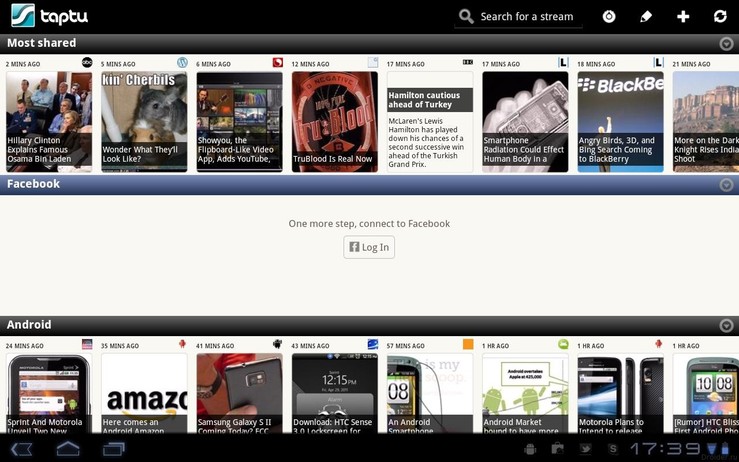
Taptu was a popular RSS feed reader that was officially retired on March 31, 2015, when the service shut down. The free application could be used to pull news from a user’s social media networks, as one of its differentiating features was its deep integration with those social networks. The app also acted as a Twitter and Facebook client, letting the user interact with those social media platforms.
When using Taptu, you can share, like, tweet or retweet directly from the program, as well as update your status. Your personal feeds are delivered along with customized feeds from Taptu based on trending stories and your social network activity. It was a nice alternative to Google Reader while it lasted, and was a favorite of many users for its ease-of-navigation and helpful widgets.
2. RSSOwl
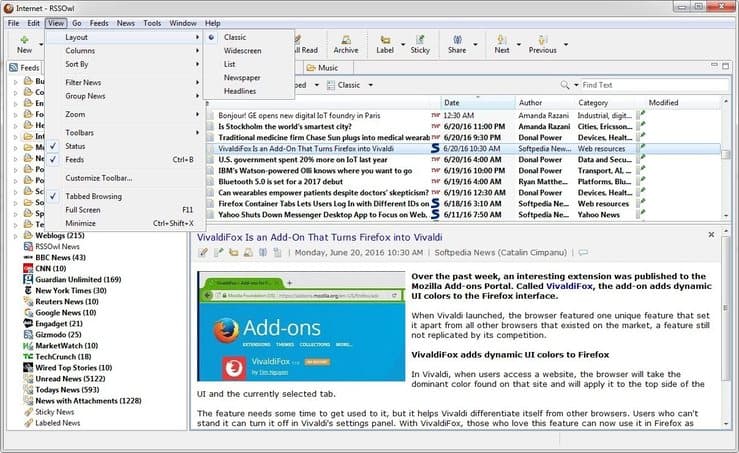
RSSOwl is an RSS reader that runs on the Windows operating system as well as Mac OS X and is available as a free download. The developers do accept donations to keep the product viable. RSSOwl includes a number of features including:
- Powerful search capabilities – You can filter your news feed and automatically set triggers to perform actions based on search results. A search can be saved and used later as if it were a feed.
- Notifications – Get notified when something happens that interests you.
- Content management – Store stories you want to keep in news bins and associate them with customizable keyword labels.
This flexible RSS reader is also available for the Linux OS and is a great way to organize your news feeds.
3. Feedly
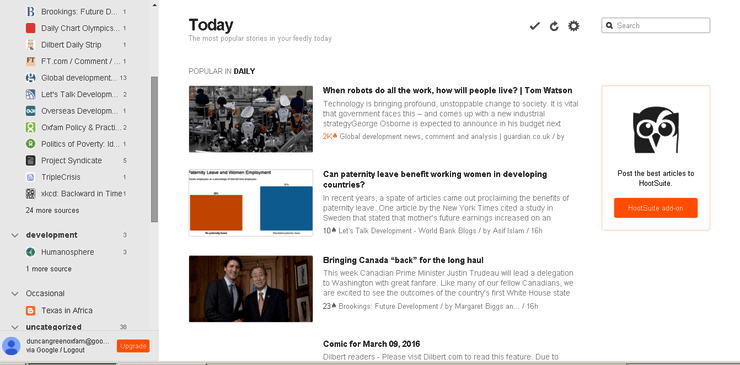
Feedly is another popular alternative to the Google RSS feed reader. It is web-based and can be used on any operating system. When you start with Feedly, you create an account or sign-in with an Open ID from a social media site and then you can access your feed on any device. The tool installs as a browser extension on Mac and Windows machines.
In addition to enabling you to obtain content from any published RSS feed, Feedly offers you the ability to access information from other sources. These include online publications, blogs, YouTube channels, and tweets. Keyword alerts let you tailor your feed to your exact specifications.
Feedly can be used as a tool for collaborations by taking advantage of its capacity to create shared feeds and boards. It can be integrated with other applications such as Trello and Evernote. Easily manage your feeds with the organizational and searching features. Even discover new sources based on your personal interests.
4. Panda
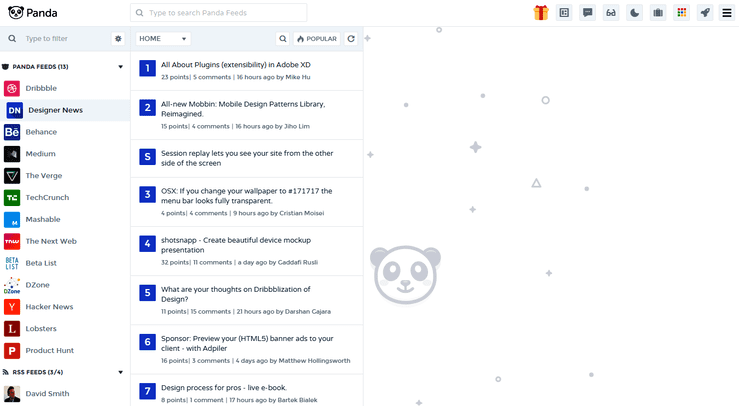
The feature of the Panda RSS reader that makes it stand out from the competition is the total customization of the interface that the software offers to the user. This web-based app can be run on Windows or the Mac operating systems and is available as a free download.
You can easily modify the display layout and view your feeds in the way that suits you best. Different viewing layouts can be accessed with keyboard shortcuts to allow you to switch back-and-forth for maximum readability. There is also a night mode which is designed to make it easier on your eyes when reading at night.
5. NewsBlur
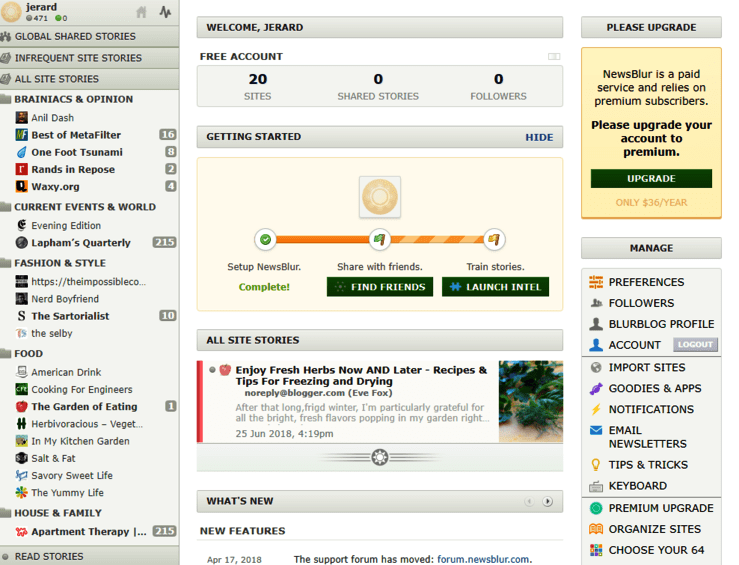
NewsBlur is another of the best RSS reader apps that can be used to replace the Google Reader. There is a free version of this web-based software available, and it can be run on Windows and Mac machines. It offers the user the ability to subscribe to RSS sites and organize their content into folders. You can switch reading modes to either display a simplified article format or have the source website displayed directly in your reader.
This RSS aggregator features a high level of filtering sophistication, and over time the filters will become “trained” to learn your preferences and search for content that is relevant to you. The filtering will automatically hide or highlight stories based on your criteria, eliminating the need to wade through excess information. Sharing of stories is made possible either through social networks or from within the application itself by way of its “blurblogs”. The developers are still adding new features to this RSS reader.
What Is RSS?
As we mentioned in our introduction, RSS is the acronym for Rich Site Summary, also known as Really Simple Syndication. It essentially is a way for sites to publish their content in a way that they can be gathered for use by your computer or a software application. The program, known as an RSS aggregator or RSS reader, lets you view the headlines and click through to get the complete story if you wish to know more.
Using RSS enables you to keep up with many different sites and interests that you may have without having to visit the sites multiple times. It is a way to manage the overwhelming amount of information available on the Internet.
What Are RSS feeds?
RSS feeds are basically a subscription to the content that a particular website publishes. It is a way of keeping up with news and updates published on that site without the need to constantly visit the site. Through the use of one of the RSS reader applications listed above, or any other of your choosing, you can view the RSS feeds from all of the sites that publish theirs.
RSS feeds tremendously expand the scope of information that you can realistically follow and increase the utility of the combined resources of the Internet. They help you wade through news stories and articles that may interest you without having to spend time searching them out.

Why Use an RSS Reader?
Here’s an example of how an RSS reader can help you deal with information overload and still keep up with events that really matter to you. It will also save you a lot of time and extra typing.
As an average citizen of an average city, there are a number of websites that you visit daily to keep up with your interests and the sporting and cultural events in your city. We are talking about at least a couple of news sites, local weather, a couple of sports websites for general info and then some team-specific sites, local concert announcements, and perhaps information published by the establishment that employs you. Maybe you also want to keep up with the local shopping scene as there are weekly deals that can save you some real money.
Visiting these sites, logging in to each one with your user credentials, might take you 30 minutes or more. There is no guarantee that once you log in to a site that there will be any new content that you are invested in viewing. You are wasting your valuable time chasing down elusive updates that may or may not even exist.
Employing a full-featured RSS aggregator you can eliminate all of the repetitive daily visits in search of content. Simply visit the sites one more time and subscribe to their RSS feeds. Now you will get a daily overview of stories that involve topics that interest you and can choose which one you want to investigate or thoroughly. Tailoring your subscriptions and the display on your reader will save you a substantial amount of time daily, and keep you more informed than by visiting sites individually.